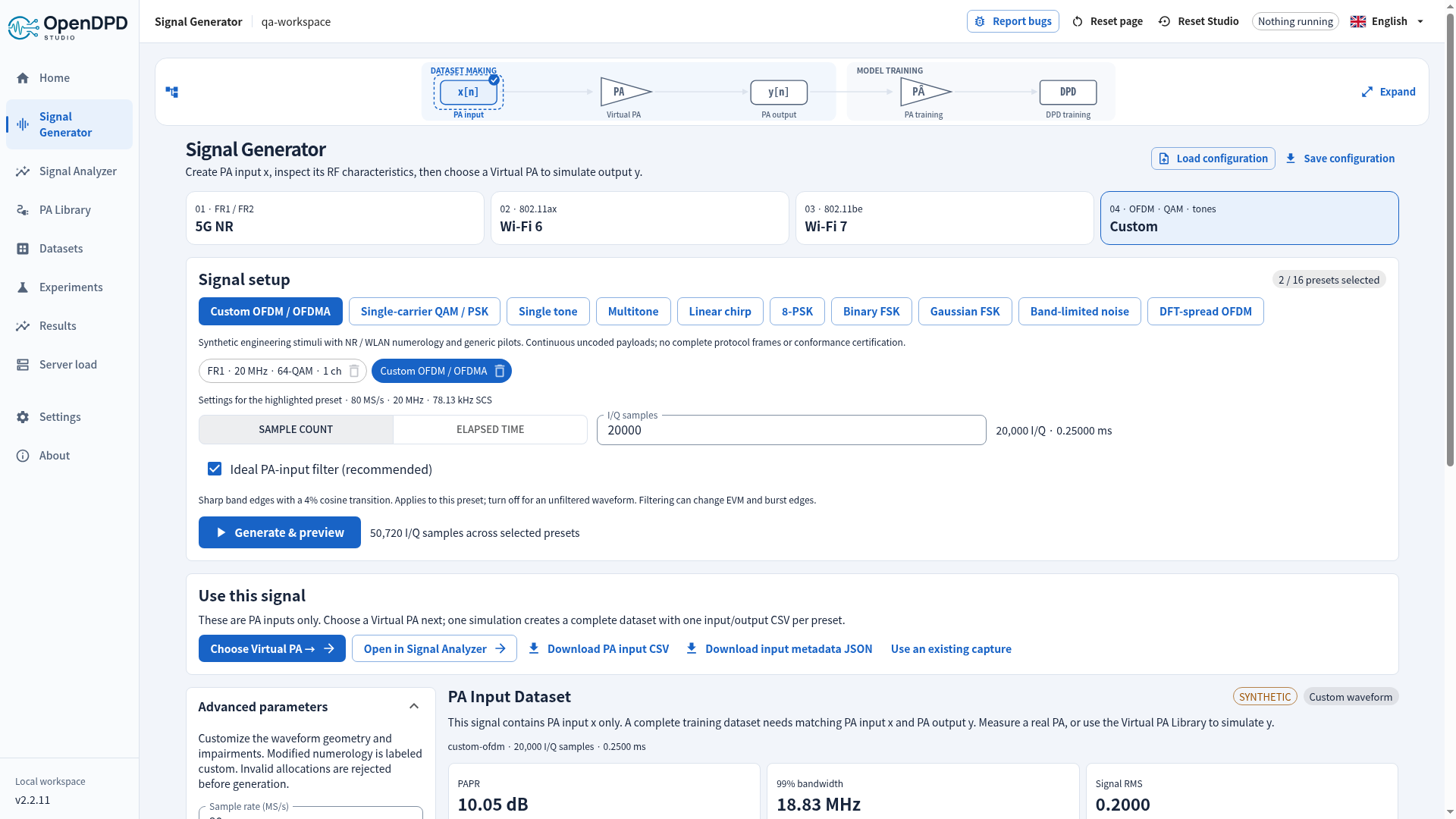
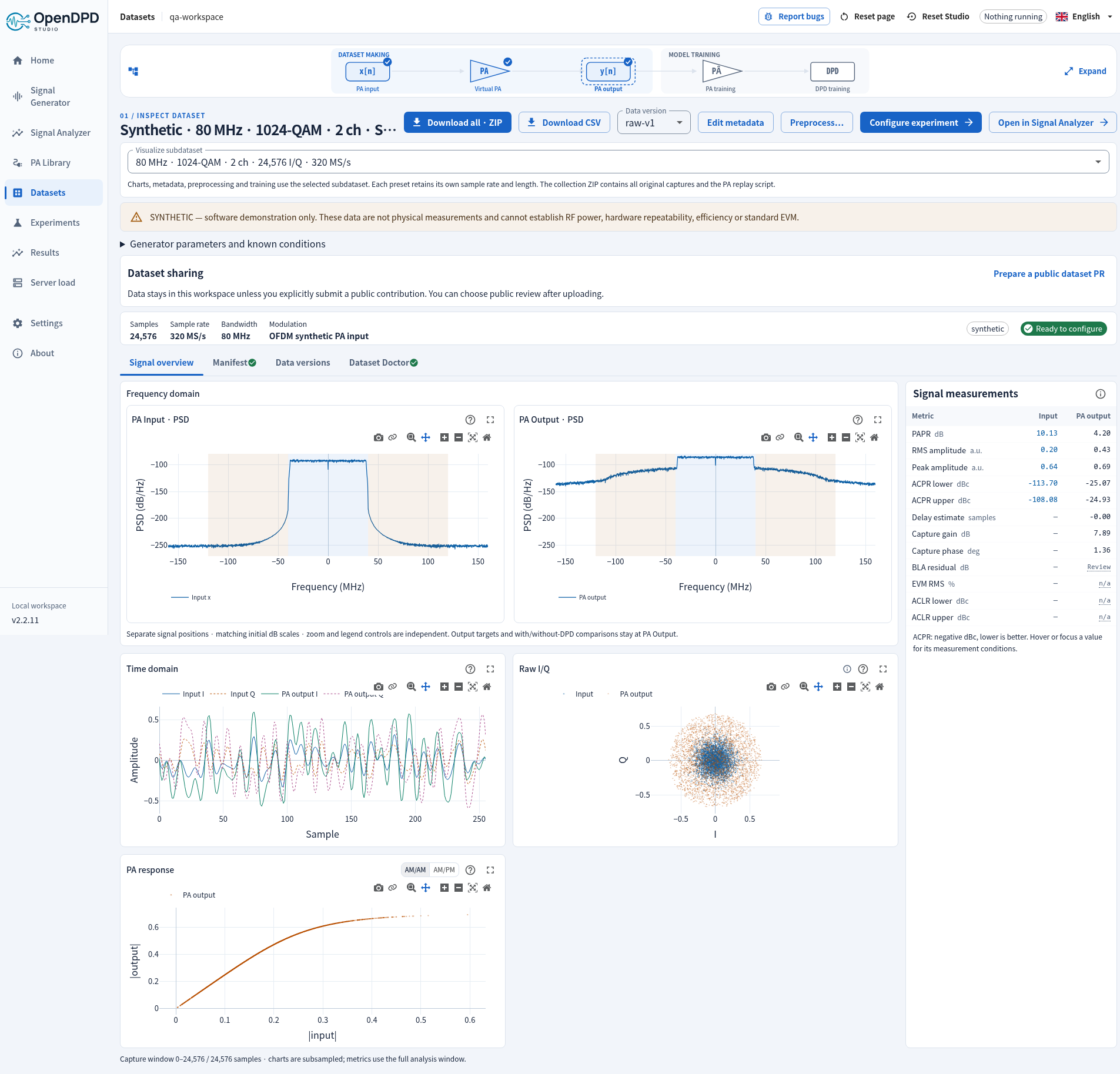
Studio Signal Generator¶
Open Signal Generator in the sidebar, or choose Get Started → Signal Generator. The sidebar expands to Generate and Preview while Signal Generator is open. Generate is the default page. The first visit selects a private NR standard test model (NR-FR1-TM1.1, FDD, one 30 kHz carrier of 20 MHz); generation starts only when requested. Choose 5G NR, Wi-Fi 6, Wi-Fi 7 or Custom. The dataset name and Generate & preview action sit at the top of Signal setup.
5G NR opens on Standard 5G NR test model (3GPP TS 38.141-1, clause 4.9.2). Choose one of the eleven NR FR1 test models and set the duplex mode, carriers, bandwidths and the other parameters of the model that the standard leaves open and that a baseband stimulus can express; the NR standard test models guide lists the parameters, what the standard fixes and what Studio cannot set. The text that the server writes for test models (descriptions, the table of fixed parameters, validation messages, warnings and notes) is English only in every interface language. The generic preset matrix of earlier releases is behind Generic numerology matrix… below the panel: select one or more compact cells, where bandwidth runs horizontally, QAM vertically, and each group has a different OFDMA channel count; its numerology buttons switch FR1/FR2 and subcarrier spacing. Wi-Fi 6 and Wi-Fi 7 show the matrix directly. Test models and matrix presets share one selection of up to 16 signals. Selected chips let you edit or preview each signal. Sample count, duration and the optional default filter apply to the highlighted matrix preset; a test model sets its own length (capture length and oversampling are in its panel). Press Generate & preview once for the whole selection.
Generation opens Preview automatically. Use this Signal: [dataset name] puts Choose Virtual PA, Analyzer and download actions above the plots. Visualize a Signal in the Generated Dataset, just before the visualizations, selects which member to inspect.
The result is explicitly a PA Input Dataset (x), with no PA output. Its editable suggested name starts with syn_pa_in_ and summarizes the waveform/specification ranges and number of signals. Virtual PA simulation produces corresponding syn_pa_out_ and syn_pa_inout_ output and paired dataset names. Parameter changes disable exports and the next step until regenerated. Returning to this tab restores the selected batch, including the recipes of test models. Up to 16 presets or test models can be selected, with different sample rates and lengths; they are never silently concatenated.
The onboarding dialog has exactly one highlighted action: Signal Generator. Existing datasets are the second choice, and CSV upload is third. PA and DPD each have one model workspace with Training and Testing tabs. Existing task URLs remain valid. Testing displays the selected dataset version's test split count and equivalent time, before any model warm-up or evaluation-edge exclusions.
Import your own waveform¶
Open Import custom signal in Signal Generator → Generate or PA Library:
- Choose a CSV containing separate real
I,Qcolumns, one complex column such as0.1+0.2j(iis also accepted), or one real column. A header is optional; additional numeric columns such as time can be excluded with the column selectors. - Enter the actual Sample rate (MHz) and Baseband bandwidth (MHz). Bandwidth must fit within the sample rate. Sampling metadata is supplied by you; it is not detected from the CSV.
- Choose the sample format and columns. Give the input dataset a name beginning with
usr_pa_in_. - Click Import & use in Virtual PA. The PA Library selects the new input. Choose the PA model and parameters, then Simulate PA output to open the paired dataset.
Import accepts 256–1,000,000 samples in a UTF-8 CSV up to 25 MiB, with at most eight columns and two million numeric fields. Every selected sample is retained, including captures longer than the Analyzer's default window. Samples are converted to the framework’s float32 I/Q format, which can round decimal values. Amplitude scale and sample order are preserved without normalization, filtering, truncation or resampling. Scale the waveform to the amplitude range appropriate for the chosen PA model before uploading. Zero-power inputs are rejected.
At least 8,192 samples are required to create a PA training dataset. Shorter captures can be imported, downloaded and inspected in Signal Analyzer. The PA input is marked uploaded; Virtual PA output and its paired dataset are synthetic. Metadata records the original CSV hash, selected columns, sampling settings and input hash. Paired training data uses the existing float32 storage contract. PA and DPD training remain available from the dataset page.
The input remains available in the PA Library and Analyzer after reload. CSV and ZIP exports retain its metadata. Imported samples cannot be regenerated from a generator configuration JSON. This workflow runs the chosen software PA model; for a physical amplifier, download the input waveform and use your RF measurement setup, then import the measured input/output pair.
Waveforms and coverage¶
The generator provides synthetic complex-baseband stimuli. The matrix presets use standard numerologies; they are not complete protocol implementations or standard test models. The 5G NR test models are baseband implementations of the TS 38.141-1 definitions (PDCCH, PDSCH and DM-RS only); they are not certified or instrument-verified reference waveforms.
| Family | Presets | Implemented signal |
|---|---|---|
| 5G NR test models | 11 models, parameterised (not presets) | NR-FR1-TM1.1, 1.2, 2, 2a, 2b, 3.1, 3.1a, 3.1b, 3.2, 3.3 and NR-N-TM of TS 38.141-1 §4.9.2; FDD or TDD; 15/30/60 kHz SCS; 3–100 MHz; 1–16 carriers; QPSK through 1024-QAM. See NR standard test models. |
| 5G NR matrix | 940 presets | FR1 3–100 MHz and FR2-1 50–400 MHz; 15/30/60/120 kHz SCS where defined; QPSK through 1024-QAM |
| Wi-Fi 6 | 96 presets | 20/40/80/160 MHz; BPSK through 1024-QAM; 1/2/4/8 allocations |
| Wi-Fi 7 | 140 presets | 20/40/80/160/320 MHz; BPSK through 4096-QAM; 1/2/4/8 allocations |
| Custom | 10 waveforms | OFDM/OFDMA, DFT-spread OFDM, QAM, PSK, FSK/GFSK, noise, tone, multitone, chirp |
See the preset tables and source references for exact RB/tone counts, timing and implementation limits. The matrix payloads are uncoded and use generic pilots and allocation placement, with no full protocol framing or conformance certification. Test models are uncoded too: PDCCH, PDSCH and DM-RS only, with no SSB, CSI-RS or PT-RS (NR-N-TM adds the NB-IoT test-model signals). Wi-Fi 8 generation has been removed. Existing stored signals remain readable.
Advanced parameters¶
- Output sample rate, nominal baseband bandwidth, RF carrier metadata, RMS and seed.
- Exact complex sample count, or equivalent duration rounded to the nearest sample. One complex sample contains I and Q. The current limit is 256–1,000,000 samples.
- FFT size, 1/2/4/8× oversampling, subcarrier spacing, fixed/NR CP and DC null.
- Up to 16 OFDMA channels with independent carrier counts, modulation and relative power. Counts include pilots. Channel gaps are specified in FFT bins. These are users within one RF band, not separate RF carriers for adjacent-channel metrics.
- Per-channel pilot comb, explicit signed carrier indices, or no pilots; pilot boost.
- RRC QAM/PSK pulse shaping, samples per symbol, roll-off and total filter span.
- Tone frequency, multitone count, and a linear chirp over the declared bandwidth.
- Frequency offset, I gain mismatch, Q phase mismatch, I/Q DC offsets, envelope clipping and independent white Gaussian noise.
For an NR standard test model the sample rate, FFT size, bandwidth, length, channels and pilots come from its recipe and are not editable here; Advanced keeps RMS, seed, RF carrier metadata, burst envelope and the impairments above. The ideal filter is off by default for test models.
SCS = output sample rate / (FFT size × oversampling). The FFT and fixed CP inputs
refer to the grid before oversampling; measured CP lengths are reported in output
samples. Changing SCS in the GUI updates the output sample rate. Carrier frequency
is saved as RF metadata and never digitally mixes a GHz signal into the baseband.
RMS normalization precedes impairments. I gain and Q phase mismatch are applied first, followed by DC offset, frequency offset, clipping and noise. The optional default FFT low-pass follows the impairments and preserves their resulting RMS. Its cosine transition spans the outer 4% of nominal half-bandwidth. Filtering can change EVM, peaks and burst edges; the receiver performs no fitted equalization. See filter semantics.
Visualizations and measurements¶
Time plots display the first 2,048 contiguous samples without strided sampling. Spectrum, RMS, peak, PAPR and CCDF statistics use the entire exported waveform. Welch PSD uses a Hann window, 50% overlap and density scaling. Power is referenced to unit complex RMS, not calibrated watts or dBm. Occupied bandwidth contains the central 99% of integrated Welch power, including impairments.
PAPR is the maximum sample power divided by average sample power, in dB. It does not estimate unsampled analog peaks. CCDF is the empirical exceedance probability of power above its mean; zero-probability points are omitted on the logarithmic plot, with empirical resolution 1/N.
OFDM constellation and diagnostic reference EVM use data carriers from up to the first 16 complete symbols. The FFT receiver uses the known generation normalization; it does not fit gain, phase, delay, or equalization. A capture with no complete symbol has no reference EVM. Single-carrier constellation uses matched RRC filtering at known symbol timing, excluding edge transients. Finite-span ISI and impairments remain visible. Incomplete final symbols are retained to preserve the exact requested sample count and disclosed in metadata.
Export and training¶
Save configuration downloads the highlighted preset's JSON (for a test model it contains the recipe under nr_test_model); Load configuration validates and selects it. Download PA input CSV and Download input metadata JSON export the currently previewed signal separately. CSV columns are I,Q; metadata records the signal role, actual sample rate/count, seed, filter and waveform parameters, numeric environment and hashes. Seeded byte reproduction requires the recorded implementation and environment.
The waveform has no PA output. Choose Virtual PA carries all selected inputs to PA Library. Choose the mathematical PA and parameters, then click Simulate PA output. Studio simulates every capture independently, saves the complete dataset automatically and opens Datasets → details. There is no separate pairing form. Each capture requires at least 8,192 input samples. The default split is 60/20/20 with 256-sample guards; preprocessing can create a different version later.
DPD training additionally requires enough real samples in each evaluated split for one PSD segment. The setup check explains any shortage before starting a job. Generate a longer capture or choose an appropriate PSD segment length in the dataset metadata; padded samples do not count. On the dataset page, Train PA & DPD Models continues to model setup.
For multiple presets, Visualize subdataset switches charts, metadata, preprocessing and training to that capture's own sample rate. Download CSV exports the selected capture/version as I_in,Q_in,I_out,Q_out. Download all · ZIP exports every original capture, per-capture metadata and one frozen simulate_pa.py:
uv run simulate_pa.py 01-nr-20.csv --output pa-output.csv
# For an independently named input:
uv run simulate_pa.py my-input.csv --preset 01-nr-20.csv --output pa-output.csv
The script accepts I,Q or I_in,Q_in, requires NumPy/SciPy, and exposes --sample-rate and bounded --parameter NAME=VALUE overrides. It runs without an OpenDPD installation. Each CSV can have a different length. Memory state starts from zero for each capture; output is not filtered or normalized. Matching numerical libraries reproduce float32 output exactly in release tests; other platforms may differ by roundoff.
A single-preset dataset downloads directly as CSV. The deprecated separate-pairing APIs remain for older clients; the new GUI uses the one-step dataset endpoint.
Get Started → existing dataset opens a paired-data selector and proceeds straight to PA Training. The compact, expandable workflow diagram marks dataset making as complete and explains the bypass. Model-training checks require successful runs for the selected dataset/version and PA reference.
Generated datasets are private by default. Optional publication uses the existing dataset contribution workflow: an explicit reviewed package, a separate branch, push and PR, followed by independent human or agent merge review. Contact: emi.lab@outlook.com.
Hosted sessions apply authentication, tenant isolation, size limits and generation quotas. Dataset creation respects the host's custom-dataset capability. No RF transmitter, GitHub submission, or email is activated by generating a waveform.
Verification¶
Numerical tests cover all 1,186 presets, exact sample counts, one-millisecond NR CP timing, FFT allocations, empty bins, deterministic impairments, analytic single-tone PAPR, invalid parameters, export round trips and dataset provenance. API tests cover authentication, CSRF, host feature gating and per-version test counts. The test-model package has its own numerical tests and a MATLAB comparison; see its validation evidence. Hosted tests verify that one session cannot access another session's generated signals or data.
scripts/verify_signal_generator.mjs exercises a real local browser at three viewports (1366×768, 1920×1080 and 390×844). Each run generates three heterogeneous captures in one batch, one from each way a signal enters the selection: the default NR test model (shortened to two subframes), a preset of the generic numerology matrix and a Wi-Fi 7 preset. It then checks formula highlighting, one Virtual PA simulation, automatic dataset navigation, CSV/ZIP downloads, per-capture visualization and the restored selection. A bootstrap token opens exactly one browser session and every viewport is a new browser context, so OPENDPD_BOOTSTRAP_TOKEN takes one token per viewport, three comma-separated tokens (token1,token2,token3). Integration tests replay both captures through the exported Python script for all nine Virtual PA families and check tenant isolation, resource limits, rollback and real CPU training. These are software/numerical checks, not physical RF or full standards-conformance evidence.
Studio 2.2.11 preview¶
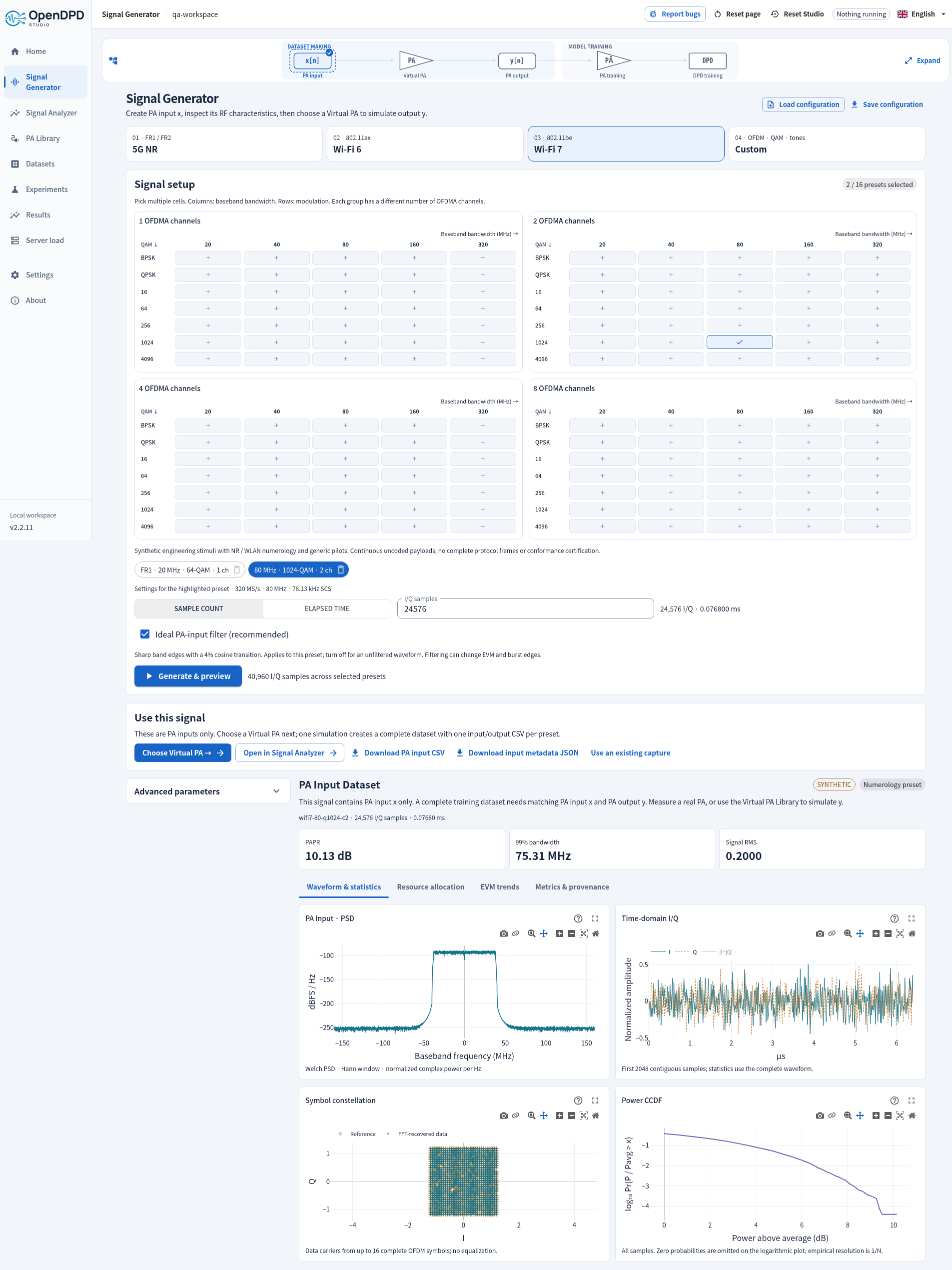
The screenshot was taken with Studio 2.2.11 and shows the preset matrix, which since 2.4.1 is no longer the first view of the 5G NR tab.
The PSD here is labelled PA Input. It contains only the generated x signal; PA output appears after explicit simulation in PA Library. See signal-chain spectra.
Explicit generation and shared channels (2.2.5)¶
Opening the generator no longer creates a saved default waveform. Choose a preset and click Generate & preview. Generated sources remain PA Input Datasets until explicitly paired with an output.
Use the same settings for all channels is checked by default for equal allocations. One set of subcarrier-count, modulation and power fields then controls every channel; a newly added channel inherits it. Uncheck to edit those parameters independently. Importing unequal channel settings keeps them independent. Re-enabling sharing applies channel 1's settings to every channel. The number of channels remains visible. FFT timing, cyclic prefix and the global pilot-bin allocation share the OFDM grid.
Configuration JSON records the sharing choice together with every channel's resolved settings. Generated CSV/metadata downloads and the next-step PA Library button are above advanced parameters.
Repeatable payloads and envelope controls (2.2.9)¶
Choose seeded random bits, PRBS9/PRBS15 with all-ones initial state, or an editable repeating bit sequence of up to 4,096 digits. Bits are grouped most-significant first into Gray-labeled QAM/PSK symbols. Payload and generic pilot sequences are distinct. One seed does not specify a protocol packet or a coded transport block.
Custom choices add 8-PSK (editable to 2/4/8/16/32-PSK), binary continuous-phase FSK, Gaussian FSK with editable BT, band-limited complex noise and DFT-spread OFDM. DFT spreading operates separately on each channel, requires no pilots and does not implement uplink reference-signal mapping. Multitone phase can be random, coherent or quadratic (Schroeder).
Burst envelopes repeat on/idle intervals with optional raised-cosine ramps. The underlying payload remains continuous. RMS is normalized before gating, so idle samples reduce the measured mean power; DC offsets and noise are added after gating. Constant phase rotation and independent Gaussian phase jitter precede IQ mismatch. Phase jitter is not a frequency-dependent oscillator noise mask.
RRC span denotes the total span: span × samples_per_symbol + 1 taps. This corrects the previous half-span interpretation. Source identities include the generator, modulation and preset implementations, so regeneration produces a new record. Existing saved waveforms remain readable.
EVM trends shows errors by OFDM symbol and data subcarrier from at most 16 complete symbols. It uses the exact known transmitted grid without phase/gain fitting; these diagnostic values are not conformance measurements.
Open in Signal Analyzer sends the saved input directly to the analysis workspace for configurable PSD, spectrogram, amplitude statistics, eyes, aligned reference errors and report exports.